

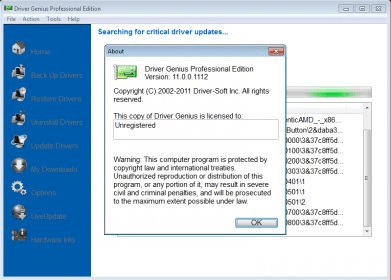
Driver Genius improves PC performance with the powerful driver manager for Windows that backs up, restores, and updates your device drivers automatically! With just a few clicks of your mouse Driver Genius updates the drivers your system can't find on its own!
Driver Genius can detect and quickly backup drivers installed on the system. It can compress the backup drivers to a zip file, self extracting file or an independent executable auto installer program. You no longer need to install drivers one by one after reinstalling your Operating System. Just one click can install all your backed up drivers automatically. You can also install drivers via command line silently. If you need install drivers on multiple PC with the same hardware configuration, Driver Genius can save you a lot of time when reinstalling your systems.Driver Genius Professional is a driver manager program that lets you get the latest drivers for your devices, increasing performance and stability of your PC.
This program lets you scan your PC for a complete list of the drivers installed, whether currently in use, Windows originals or from disconnected devices. It lets you create a backup of those as original files in a folder, a ZIP file, a self-extracting executable, or an auto-installer. It also lets you restore those drivers in case some problems occur.
It has an uninstall manager that lets you choose what drivers you wish to remove from a check-box list. And the Live Update function will maintain the program with the latest driver updates available for your PC. So before running a scan, make sure you updated the software database.
It detected some drivers uninstalled a long time ago. I guess that's because there were traces of them that were not removed by the uninstaller, and this program just read those entries.
So, if you just made a fresh install of a Windows OS and want to install all drivers in an easy way, this is a perfect program to do the job. If you are a major PC repair technician, this is a must-have. And if you want to try it, only the update drivers feature is not available in the unregistered version.
Driver Genius Professional runs perfectly well on Windows 98 and newer versions, including WP/Vista/7, 32/64-bit.





Comments (12)